Digital
Why Every Login Screen Asks for Something Different, and What Changed Behind the Glass
Password rules were built for a threat that barely exists anymore. Here is how the guidance shifted, and what the change looks like from the customer's side of the form.
- Words
- 1,288
- Written by
- Tobias Renfrew
- Filed
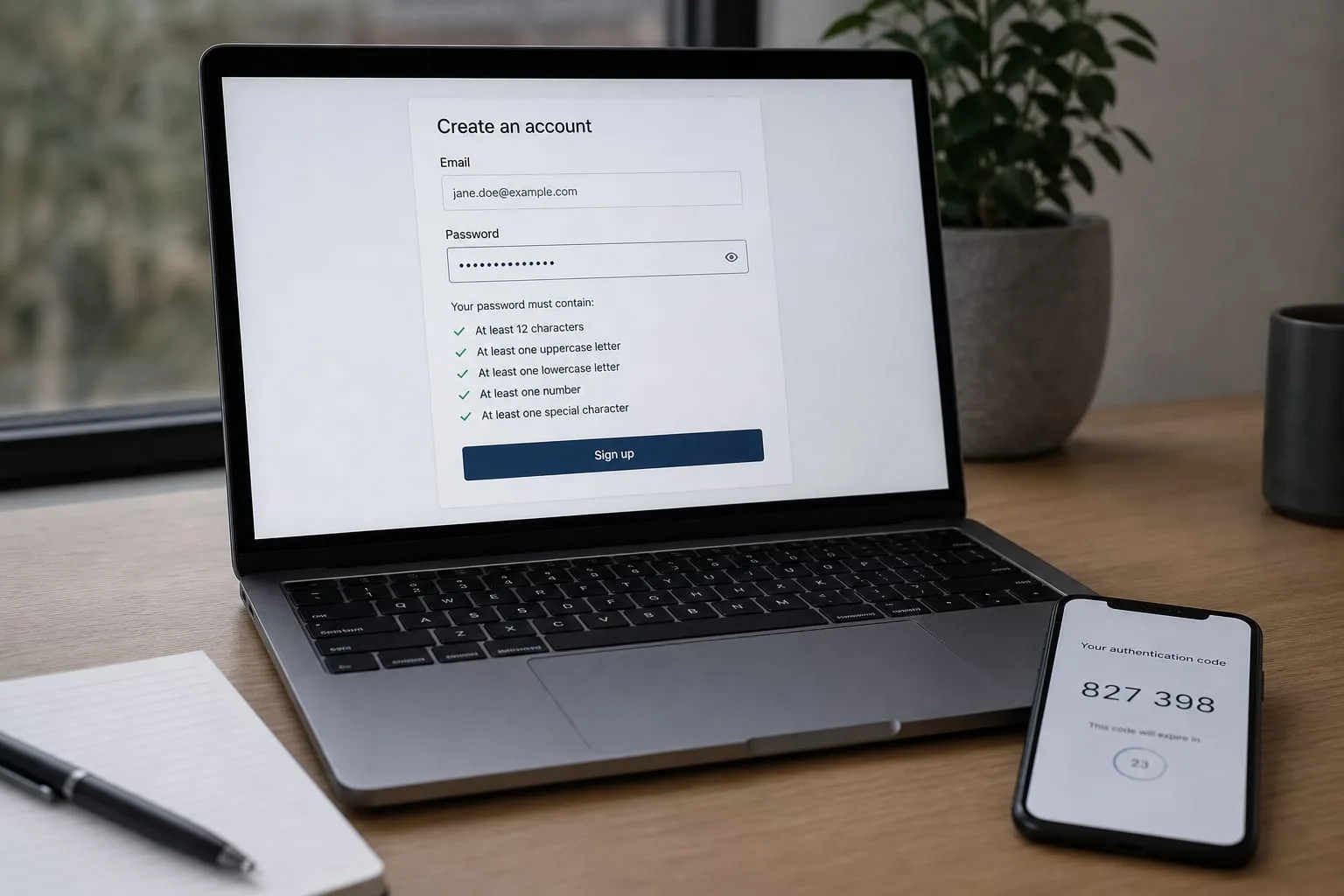
Open three accounts in one afternoon and you will be told three different things. One site wants at least eight characters with an uppercase letter, a number and a symbol. One wants twelve and refuses to let you paste. One accepts a four-word phrase, tells you it is strong, and moves on. None of them explain why. From the customer's chair it looks arbitrary, and in a sense it is: you are looking at sediment, layers of advice laid down at different moments and never cleared away.
The rules you meet at a signup form are not a considered judgment about your account. They are whatever the engineer copied from a checklist, on whatever date the login page was last rebuilt. Some of those checklists are two decades old. Some of them were withdrawn by the people who wrote them and never removed from the code.
The rules were written for a machine, not for you
Composition rules exist because of a specific technical fear. If an attacker steals a database of scrambled passwords and starts guessing offline, short and obvious guesses fall first. Forcing a capital letter and a digit was supposed to push each password out of the easy range. On paper, the math is sound. Every extra character class multiplies the number of possibilities.
What the math did not account for was the person filling in the form. Told to add a capital, almost everyone capitalizes the first letter. Told to add a number, almost everyone appends a 1. Told to add a symbol, almost everyone reaches for an exclamation point at the end. The rule intended to create randomness created a pattern instead, and the pattern was so consistent that guessing software learned it. The password that satisfied the requirement was, in practice, one of a few thousand predictable shapes.
The same happened with expiration. Ninety-day rotation assumed that if a credential leaked, it would be useless within a quarter. What it produced was a small edit each cycle. Autumn2023 became Autumn2024. Anyone holding the old password could work out the new one in a handful of tries, and the customer who had a strong password to begin with was forced to weaken it into a series.
The National Institute of Standards and Technology is responsible for the federal digital identity guidance that most of these habits ultimately trace back to, and its position on composition rules and forced expiration shifted years ago. Length and screening against known-breached credentials moved to the center. Character-class requirements and calendar-driven resets moved out. The guidance changed. The internet did not, at least not evenly, which is why your bank and your utility company disagree with each other on your screen.
What the shift actually looks like from your side
The customer-facing signs of a site that has kept up are specific and easy to spot.
- It accepts long passphrases. A field that permits sixty or more characters is a field designed for a manager or a phrase, not for something you memorize.
- It lets you paste. Blocking paste breaks password managers and pushes people toward short, typeable, reused strings. Sites that understand this stopped blocking it.
- It tells you a password is unusable because it has appeared in a breach. That is screening against known-compromised credentials, and it is far more useful than counting symbols.
- It stopped emailing you every ninety days. Under current thinking, you change a password when there is a reason to: a breach notice, a shared device, a suspicion. Not on a schedule.
- It offers a passkey. The prompt that asks for your fingerprint or face instead of a string is a credential stored on your device that never travels to the site and cannot be phished by a convincing copy of the login page.
Where a site still enforces the old rules, you are not being protected more carefully. You are looking at a login page that has not been touched in a long time, which is worth noting for other reasons.
The part that decides whether you get back in
Here is the piece that the advice, old and new, tends to underplay. Most people do not lose an account because someone cracked their password. They lose it because they cannot prove who they are to a company that has decided to stop believing them, or because someone else proved it first.
Every account has a recovery path behind the password: an email address, a phone number, a set of questions about your first car, sometimes a support agent with discretion. That path is the real perimeter. A twenty-character password guarding an account whose recovery email is a defunct address from a former employer is a locked front door on a house with the back wall missing. When it goes wrong, the question is never how strong the password was. It is who at the company is allowed to decide that you are you, and what they will accept as proof.
That decision is usually made by a support representative working from a script, and the script has a short list of things it counts: access to the recovery email, a code sent to the phone number on file, the last four digits of a payment card, the date the account was opened. If you cannot supply what is on the list, sincerity does not substitute. Some services will accept a photo of a government ID. Some will not, and the account is simply gone.
So the practical work is not password strength. It is making sure the recovery details attached to each account are ones you still control, and that the recovery email itself is the best-protected account you own.
A workable evening's work
You do not need to reset everything. Sort your accounts by what an intruder could do with them, and start at the top.
- Your primary email first. It is the reset destination for everything else. Give it a long unique password, turn on a second factor, and check the recovery phone and backup address are current. If there is a list of devices or app passwords, read it.
- Then anything that moves money or holds identity documents. Banks, brokerages, payroll, the IRS account if you have one, health portals.
- Then anything with a saved card. Retail accounts are where reused passwords do the most quiet damage.
- Check reuse, not complexity. Most managers and browsers will flag passwords used on more than one site and passwords found in known breaches. That report is a better to-do list than any strength meter.
- Turn on passkeys where offered, and keep the password as a fallback rather than deleting it, so a lost device does not become a lockout.
Write down where your second factor lives. If it is an authenticator app on a phone, save the recovery codes somewhere that survives the phone being dropped in a lake. People who lose accounts permanently often lost the second factor, not the password.
When a site refuses to move
You will still meet forms that cap passwords at sixteen characters, ban symbols, or demand a quarterly change. Give those accounts a long random password from a manager, do not reuse it anywhere, and treat the security questions as a second password: answer them with random strings stored alongside the real one rather than facts about your life that a stranger could look up or guess.
Password advice moved from asking people to be memorization machines to asking software to carry the load and letting the human keep one strong phrase for the vault. That is a better division of labor, and it holds up on the day something goes wrong, which is the only day the arrangement is really tested.
Tobias Renfrew
Tobias covers complaints, claims, and the paths open once something has gone wrong.